Speechify Review: How Much It Costs and Is It Worth It?
How much Speechify costs ($29 a month or $139 a year), what the free plan does, how it works, honest pros and cons, cheaper alternatives and who should pay.
 Written bySantiago MalleaReviewed byGradehacker editors
Published May 3, 2022Updated November 22, 2026
Gradehacker is free to read. Some links in our guides may pay us a small commission if you sign up, at no cost to you. It does not change what we write. How we make money
Key points
- Speechify Premium costs $29 a month or $139 a year (about $11.58 a month), per Speechify's pricing page in November 2026.
- The free plan reads at up to 1.5x speed with 10 basic voices; Premium adds 400+ natural voices, 60+ languages, 5x speed, scanning and AI tools.
- The free trial turns into a paid plan unless you cancel first, and refunds are limited, so set a reminder before it ends.
- Free read-aloud tools on iPhone, Android and Microsoft Edge cover the basics for students who only listen now and then.
On this page
Speechify costs $29 a month, or $139 a year if you pay yearly (about $11.58 a month). There is also a free plan that reads text aloud at up to 1.5x speed with 10 basic, robotic-sounding voices. These are the prices on Speechify’s pricing page when we checked it in November 2026.
Speechify is an app that reads text out loud: PDFs, web pages, Google Docs, emails and photos of printed pages. In this review, you’ll learn what the free and Premium plans include, how the app works, what we found when we used it, its pros and cons, and cheaper alternatives.
Gradehacker is a Speechify partner. If you sign up through our Speechify links, we may earn a commission at no extra cost to you. It does not change our review, including the cons below.
Is Speechify Worth It?
Speechify Premium is worth it if you read a lot for school or work and listening helps you focus or remember. For occasional listening, the free plan or the read-aloud tools already on your phone or computer are enough.
Premium is worth it if you:
- Have dyslexia, ADHD or eye strain, or simply learn better by listening
- Have long reading assignments every week and want to listen on your commute, at the gym or while doing chores
- Want natural-sounding voices and the option to scan printed books with your phone camera
Premium is probably not worth it if you:
- Only need a page or an article read aloud now and then
- Are on a tight budget: $139 a year is more than many textbooks, and free tools cover the basics
- Need it for one short class, since the monthly price adds up fast
Our advice: start with the free plan for a week. If you use it every day and the robotic voices or speed limit bother you, then consider Premium.
How Much Does Speechify Cost?
Speechify has a free plan and one paid plan, Premium. Premium costs $29 a month billed monthly, or $139 billed once a year.
- Free, $0: speeds up to 1.5x, 10 robotic-sounding voices, text to speech only
- Premium, $29 a month (billed monthly) or $139 a year (billed yearly, about $11.58 a month): 400+ natural voices, 60+ languages, speeds up to 5x, Scan & Listen, AI summaries and chat, voice typing, AI podcasts, and imports from Google Drive, Dropbox and OneDrive
Is there a student discount? Speechify’s pricing page doesn’t list one. Speechify does sell plans to schools and companies, so ask your school’s disability services or accessibility office whether it already offers Speechify or a similar tool for free.
The free trial and refunds
Speechify’s terms say the Premium free trial lasts three days unless a different length is shown when you sign up. When the trial ends, it turns into a paid plan automatically and charges the card you entered. In our test, we canceled during the trial without any problem, but some user reviews describe being charged for a full year after forgetting to cancel.
Refunds are limited. Speechify’s refund policy says you must ask within 7 days of the purchase, it doesn’t give partial refunds, and subscriptions bought through Apple or Google Play are handled by those stores. If you try Premium:
- Set a phone reminder for the day before the trial ends.
- To cancel on the web, log in at app.speechify.com, open Settings and choose Cancel Subscription.
- If you subscribed on an iPhone, cancel in your Apple subscriptions. If you subscribed on Android through Google Play, cancel in Google Play.
After you cancel, Speechify’s help article says you keep Premium until the trial or the paid period ends.
Is Speechify Free?
Yes, Speechify has a free plan. It reads text aloud at up to 1.5x speed with 10 basic voices. It doesn’t include the natural voices, faster speeds, camera scanning or AI tools, which are part of Premium.
For many students the free plan is enough to listen to readings and proofread their own papers. The main limits you will notice are the robotic voices and the speed cap.
What Is Speechify and How Does It Work?
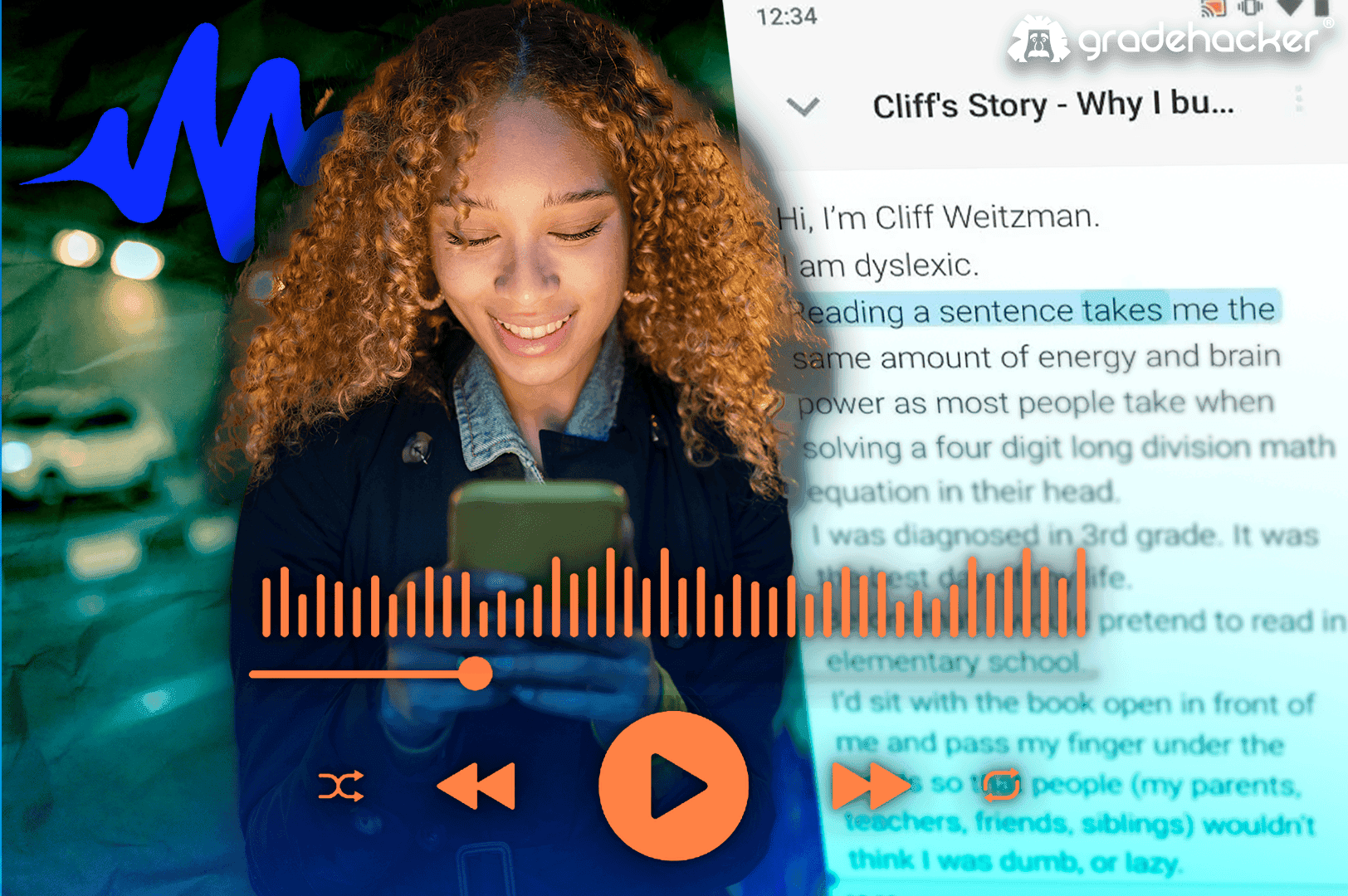
Speechify is a text-to-speech app: it uses computer-generated voices to read any text out loud while highlighting the words on screen. You add text, choose a voice and speed, and press play.
Speechify was created by Cliff Weitzman, who has dyslexia, to help himself get through reading-heavy schoolwork. It works on:
- iPhone and iPad
- Android
- Chrome and Edge, as a browser extension
- The web app, Mac and Windows
Here is how you use it:
- Add your reading. Upload a PDF or document, import it from Google Drive, Dropbox or OneDrive (Premium), paste text, or open a web page with the browser extension.
- Scan printed pages. With Premium, take a photo of a book page with your phone and Speechify reads it.
- Pick a voice and speed. Then press play. You can pause, skip back and follow the highlighted words.
What We Found When We Used Speechify
We used Speechify for coursework, emails and long reads. Speechify updates its apps often, so some menus may look different today.
Reading speed
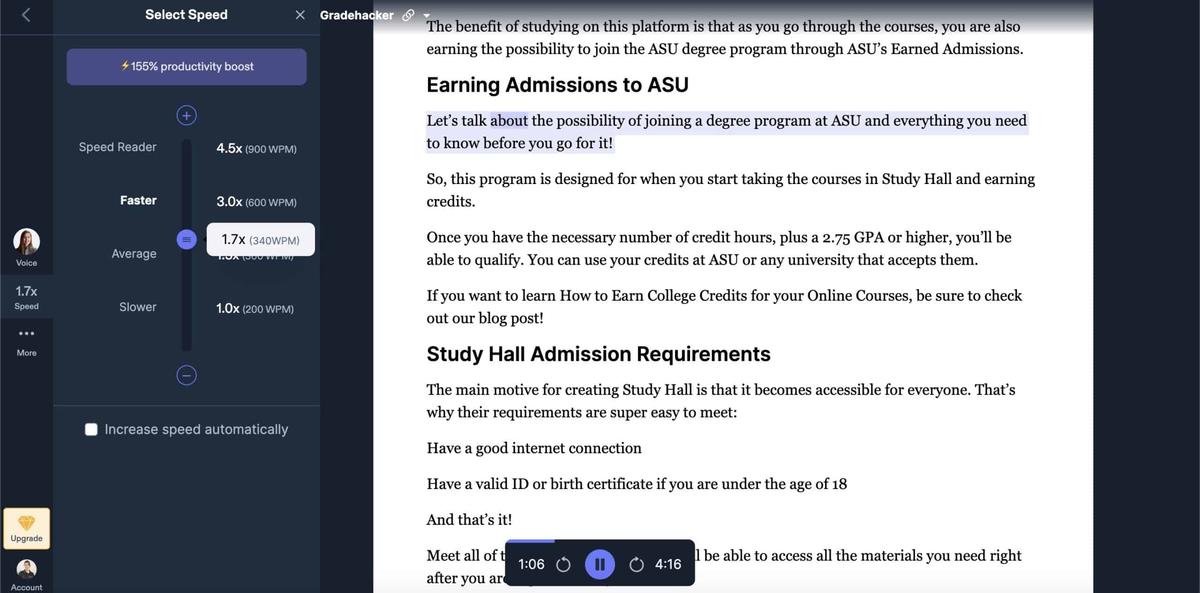
Premium can read up to 5x faster than normal. In our testing, anything above about 500 words per minute was hard to understand. The useful range was 200 to 400 words per minute: faster when you read along on screen, slower when you only listen, like on a commute.
Voices
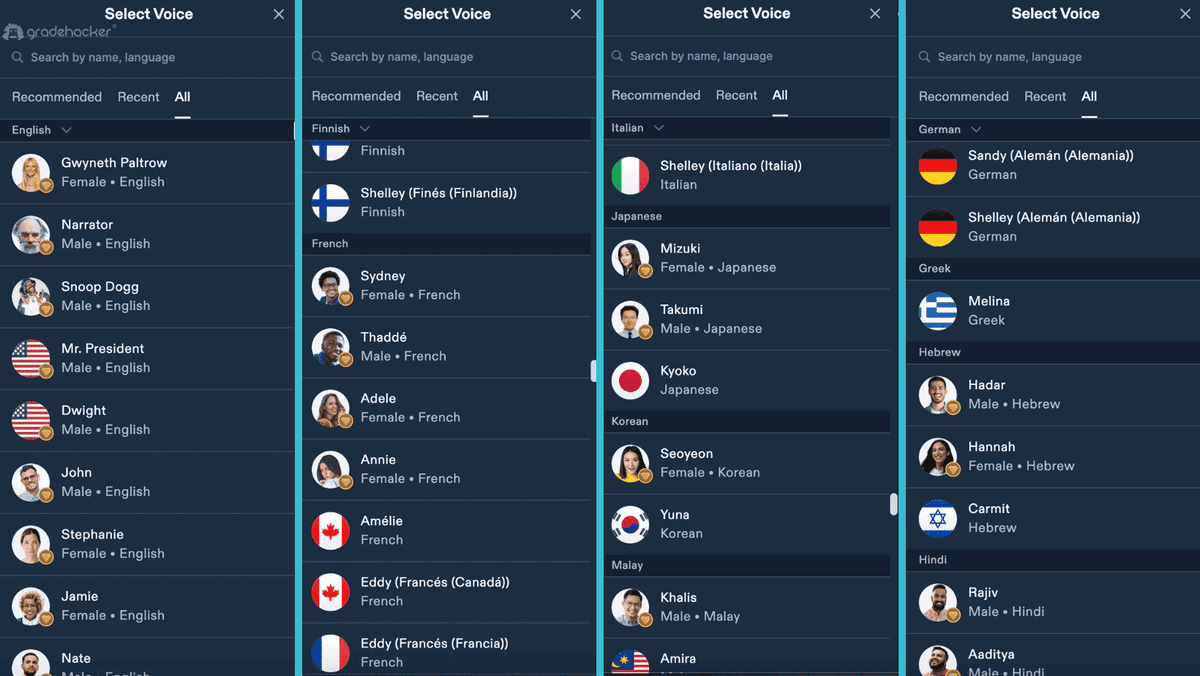
Premium voices sound much more natural than the free ones, and there are voices for many languages and accents. In our test, the celebrity voices were fun, but they didn’t change how well we understood the text. The free voices are clear enough to follow, but they sound robotic.
Skipping citations and editing
On desktop, Speechify could skip things like citations, parentheses, brackets and URLs, which makes academic papers much easier to listen to. On mobile, we could edit the text before listening. In our test, each feature only worked on one of the two, which was frustrating.
Scanning and listening on the go
Scanning printed pages with a phone camera worked well for books without a digital copy. Listening on the go was where Speechify helped us most. Some people get dizzy reading on a bus, so we played an Agatha Christie novel on a long ride home instead, and it worked well.
If listening helps you learn, read our guide on how to study as an auditory learner.
Speechify Pros and Cons
Pros
- A free plan, so you can try it without paying
- Works on phones, computers and in the browser
- Premium voices sound natural, in many languages
- Scanning printed pages with your phone is useful for paper textbooks
- Helps you get through reading while commuting or doing chores
Cons
- Premium is expensive: $139 a year or $29 a month, more than most alternatives
- The free trial turns into a paid plan automatically, and refunds are limited
- Free voices sound robotic
- The top speeds are too fast to understand
- In our test, the desktop and mobile apps had different features
Speechify Alternatives
If Speechify costs more than you want to pay, these options cover most of what students need.
Built-in read-aloud on your phone or computer (free)
- iPhone and iPad: turn on Speak Selection and Speak Screen in Settings, Accessibility, Read & Speak. Then swipe down with two fingers from the top of the screen to hear the whole page, and adjust the speaking rate.
- Android: turn on Select to Speak in Settings, Accessibility, then tap the parts of the screen you want read aloud.
- Microsoft Edge: Read aloud reads web pages and PDFs on Windows and Mac, and you can change the voice and speed.
Good for: students who mainly need web pages, PDFs and articles read aloud and don’t want another subscription.
NaturalReader
NaturalReader has a free plan with unlimited listening using its free voices, plus 5 minutes a day of its better AI voices. Its paid Plus plan costs $119 a year or $20.90 a month and adds more AI voices and a scanner for printed text. It works on the web, iOS, Android and as a Chrome extension.
Good for: students who want natural voices and scanning for less than Speechify Premium.
Speechify FAQs
How much is Speechify per month?
Speechify Premium costs $29 a month if you pay monthly. If you pay $139 for a full year, it works out to about $11.58 a month.
Is Speechify free for students?
Speechify’s free plan is open to anyone, students included. Premium has no student discount on the pricing page, but your school may already provide Speechify or another text-to-speech tool through its disability services office.
Is Speechify legit?
Yes. Speechify is a real company, Speechify Inc., and its app works as described. The main thing to watch is the free trial, which turns into a paid plan automatically unless you cancel in time.
Can I cancel Speechify anytime?
Yes, you can cancel anytime in your account settings, or through Apple or Google Play if you subscribed there. Canceling stops future charges, but money already charged is generally not refunded except in the limited cases in Speechify’s refund policy.
New video, new guide, every Sunday
One short email with what we published that week, picked for adults going back to school.
More on study skills
All study skills guides
The Best Time Management Techniques to Tackle Any Task
Eight time management techniques explained with steps and examples, including Pareto, Pomodoro, the Eisenhower Matrix and time blocking.
8 min read

How To Make Your Online Classes Easier
Simple ways to make online classes easier, from setting up a study space and routine to apps that help with writing, notes and reading.
9 min read

Study Habits That Keep College Students Focused
Daily and study-session habits that help you stay focused in college without relying on coffee or energy drinks, plus apps that help.
6 min read